Before you press record
Casting staff watch a lot of videos. You do not need expensive equipment to stand out - you need a video that is bright, clear and honest, so the person watching can focus on you and nothing else. This guide walks you through filming with a phone, step by step.
Vertical or horizontal?
- Follow the audition's instructions first. If an audition asks for a specific orientation, always use it.
- If nothing is specified, vertical (9:16) works well for vocal performances and close-ups of your expression.
- For dance, choose the orientation that keeps your full body visible from head to toe for the entire routine. Wide, travelling choreography often fits better horizontally.
Set up your space
Light
- Face the light. Stand facing a daytime window, or place a lamp behind the phone.
- Avoid a bright window behind you - it turns you into a silhouette.
- Strong overhead light creates shadows under the eyes. Soft, even light from the front is best.
Sound
- Choose a quiet room. Turn off fans, air conditioning and the TV, and close the windows.
- Rooms with curtains, rugs or a sofa have less echo than empty rooms.
- For vocals, keep the phone within one to two metres, and set the backing track low enough that it never covers your voice.
Camera position
- Put the phone on a tripod or a stable surface. Avoid hand-held filming.
- Keep the lens at eye or chest height. Angles from far below or above distort your proportions.
- Wipe the lens and choose a high video resolution in your camera settings.
- Turn on airplane mode or Do Not Disturb so a notification does not ruin a good take.
Keep it real: no filters
- Turn off beauty mode, face filters, skin smoothing, and any auto-tune or voice effects.
- Agencies want to see and hear who you are in person. Heavy editing makes you harder to evaluate, and a gap between your video and your photos can reduce trust.
- Trimming the start and end is fine. Speeding up choreography or correcting pitch is not.
Structure your 30-60 seconds
1. Open with a 3-5 second slate
Look into the camera and clearly say your name, age, country and position (vocal, dance, rap and so on).
Example: "Hello, I'm (name), I'm 16 and I'm from Japan. My position is vocal."
2. Show your best part early
Reviewers often watch many videos in a row. Put your strongest moment - the chorus, a note you hit with confidence, the highlight of the choreography - within the first 10-15 seconds.
3. Finish cleanly
Hold your final pose or note for a second or two, then stop recording. Keep the whole video between 30 and 60 seconds.
Choosing your song or choreography
- Pick a song that sits comfortably in your range. Show tone and control, not just your highest note.
- A song you can perform consistently well says more than a harder song you only land sometimes.
- For dance, choose a section that shows musicality, precision and energy. A K-POP cover or a freestyle both work if your basics are visible.
- Check whether the audition asks for a specific song, genre or an a cappella take.
Extra tips for dance videos
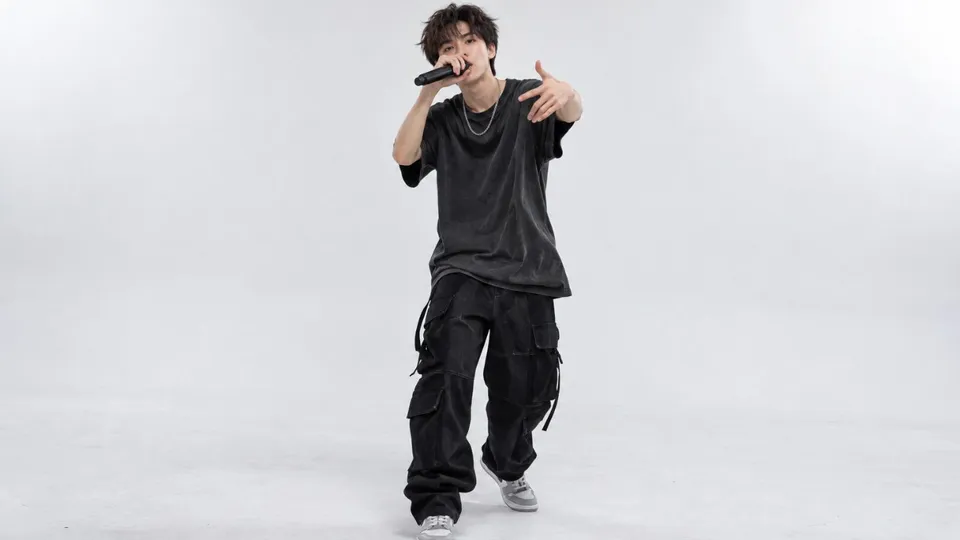
- Plain background: film against an uncluttered wall, with no mirrors or other people in the frame.
- Fitted clothes: outfits that show your lines. Avoid very baggy clothing, and wear shoes that suit the floor.
- Show your face: no caps, masks or hair covering your face. Expression is part of the performance.
- Mark your position on the floor with tape so you stay in frame while you move.
Uploading your video
- Watch the whole video once before uploading. Check that sound is in sync, the image is in focus and you stay in frame.
- Use the original file from your camera roll. Files re-sent through messaging apps are often compressed.
- Upload over Wi-Fi - video files are large.
- PIVOT410 accepts MP4, MOV or WEBM videos up to 200 MB and 30-60 seconds long. If a file is too large, export it at 1080p.
- In your media page, give each video a clear title such as the song or style. Two or more videos (for example, one vocal and one dance) give agencies a fuller picture.
If you would rather film in a professional setting, PIVOT410 works with local partner studios and a training studio in Beijing that produce standard audition videos. See Programs for details.
Final checklist
- I checked the audition's instructions (orientation, song, length)
- The light is in front of me and the room is quiet
- My phone is on a tripod at eye or chest height
- Beauty mode, filters and auto-tune are off
- I open with a 3-5 second slate: name, age, country, position
- My best part appears within the first 15 seconds
- The video is 30-60 seconds long
- Dance: full body visible, plain background, face visible
- I watched the full video before uploading
Ready? Create your profile and browse open auditions.